Mastering Visual Workflow with Isometric Planning Schedule Illustration
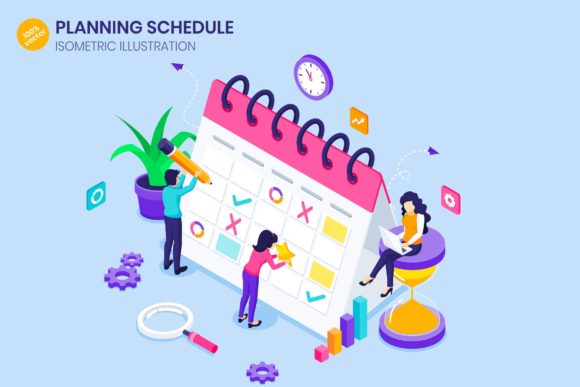
Visualizing time and workflow is one of the most effective ways to communicate complex business strategies, yet many creators struggle to find assets that strike the right balance between professional clarity and engaging design. This is where an Isometric Planning Schedule Illustration becomes an invaluable tool. Unlike flat, two-dimensional charts that can feel dry or overwhelming, isometric designs add depth and perspective, turning a standard calendar into a dynamic scene where people are actively filling out work schedules on a giant structure. This approach transforms the abstract concept of time management into something tangible and relatable.
For entrepreneurs, marketers, and educators looking to enhance their landing pages, hero images, or infographics, understanding how to select and utilize these assets correctly is crucial. The market is flooded with digital graphics, but not all are created equal. Making the wrong choice here can lead to pixelated banners, rigid designs that refuse to adapt to your brand colors, or illustrations that simply fail to convey the intended message of productivity and organization.
The Trap of Raster-Only Assets
One of the most common mistakes designers and business owners make is overlooking the file format when purchasing or downloading planning schedule illustrations. You might find a beautiful image of a team managing a daily routine, but if it is delivered only as a standard JPG or PNG, you are limiting your project's potential. Raster images are made of pixels; when you stretch them to fit a large website banner or a high-resolution print material, they become blurry and unprofessional.
This issue directly affects the quality of your presentation. Imagine launching a new productivity app with a hero image that looks crisp on a mobile phone but turns into a blocky mess on a desktop monitor. This loss of quality can undermine the perceived value of your product. To avoid this, always ensure the Isometric Planning Schedule Illustration you choose is built on 100% vector technology. Vector files, such as EPS10, SVG, or native Adobe Illustrator (.Ai) files, use mathematical paths rather than pixels. This means you can resize the illustration from a tiny mobile icon to a massive billboard without losing a single ounce of sharpness or detail.
Misunderstanding Customization Capabilities
Another frequent oversight involves color flexibility. Many users assume that because an illustration looks good in the preview, it will automatically fit their brand guidelines. However, if the artwork is "flattened" or grouped incorrectly, changing the color scheme to match your corporate identity can be a nightmare. You might end up with a clashing green calendar when your brand is strictly blue and orange, forcing you to either compromise your branding or spend hours trying to recolor elements manually.
A superior approach is to seek out files that come with editable color features. High-quality packs often include source files for Adobe Illustrator, Adobe XD, and Figma. These formats allow you to isolate specific elements—like the giant calendar, the characters filling out the schedule, or the background environment—and tweak their hues instantly. This level of control ensures that your time management concept illustration feels like an organic part of your website or marketing campaign, rather than a generic sticker pasted on top.
Overlooking Multi-Platform Compatibility
In today's digital landscape, your content needs to perform across various touchpoints. A mistake many beginners make is buying an asset that works only for print or only for web. If you purchase a file that lacks SVG or Figma support, you might struggle to implement it in modern web development workflows or mobile app interfaces. Conversely, lacking a high-DPI print version can hinder your ability to create physical brochures or conference posters.
To maximize efficiency and cost-effectiveness, look for comprehensive bundles. The ideal package should include a wide range of formats: .Ai for deep editing, .xd and .fig for UI/UX prototyping, EPS10 for universal vector compatibility, and high-resolution PNG and JPG at 300 DPI for immediate use in presentations or social media. Having this variety ensures that whether you are building a landing page, designing an infographic, or creating a mobile web graphic, you have the right tool ready to go without needing to purchase additional licenses later.
Neglecting the Narrative in Design
Beyond technical specifications, there is a conceptual pitfall to avoid: choosing an illustration that doesn't tell a story. An isometric view is powerful because it allows you to show action. A static image of a blank calendar is far less effective than a scene showing people actively filling out the work schedule. This human element connects with your audience, illustrating the concepts of business planning, daily routine, and collaboration in a way that text alone cannot.
When evaluating a design, ask yourself if it communicates the energy of productivity. Does the composition guide the viewer's eye through the workflow? Poorly composed isometric art can look cluttered or confusing, defeating the purpose of clarifying a schedule. The best illustrations use the isometric perspective to organize space logically, making the "giant calendar" feel like a manageable, structured environment where tasks are being accomplished.
Practical Steps for Selection and Implementation
To ensure you get the best results from your next design project, follow these practical checks before finalizing your decision:
- Verify Vector Integrity: Open the preview or file details to confirm that all elements are 100% vector. Check if lines remain sharp when zoomed in significantly.
- Test Editability: If possible, download a free sample or check the documentation to see how easily layers can be accessed. Can you change the shirt color of the characters? Can you modify the dates on the calendar?
- Assess Format Variety: Ensure the download includes both editable source files (AI, FIG, XD) and ready-to-use exports (SVG, PNG, PDF). This saves time during the development phase.
- Evaluate Resolution: For raster exports within the pack, confirm they are provided at 300 DPI. This guarantees clarity for both screen and print applications.
- Check Licensing Terms: Understand how you can use the asset. Whether for a client project, a personal blog, or a commercial product, knowing the rights prevents legal headaches down the road.
By paying attention to these details, you move beyond simply buying an image to investing in a versatile design solution. An Isometric Planning Schedule Illustration done right serves as a cornerstone for your visual identity, enhancing how you communicate time management and business planning to your audience. It bridges the gap between functional data and engaging storytelling, ensuring that your message about productivity is not just seen, but understood and appreciated.
Remember, the goal is to make your workflow smoother, not more complicated. Choosing the right assets initially prevents the need for costly redesigns or workarounds later. Whether you are a freelancer pitching to a new client or a small business owner updating your website, prioritizing quality, editability, and narrative strength in your graphics will always yield better engagement and professional results.